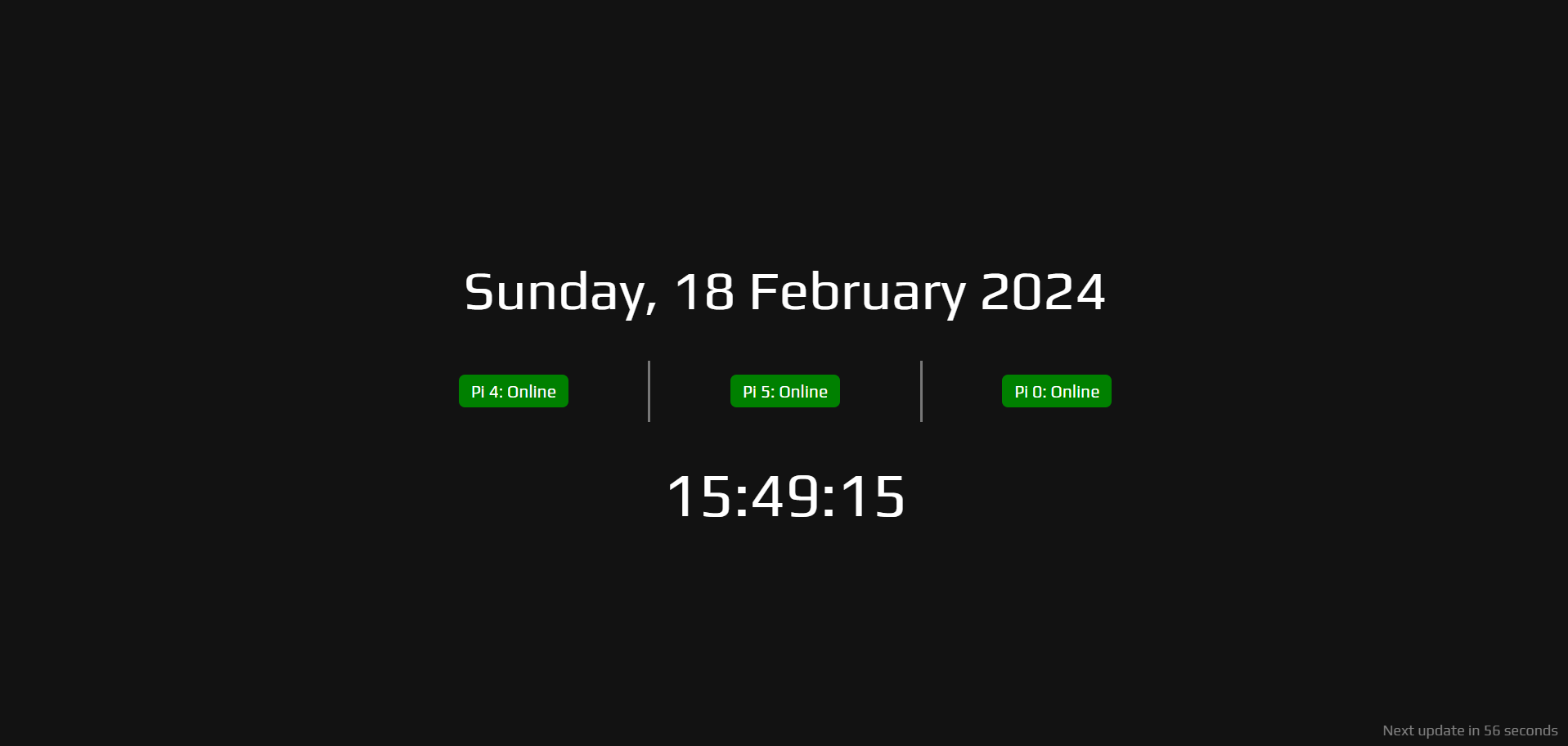
# Flask Powered Status Page  A simple webpage to keep an eye on the online status of devices. The page also displays the full date which refreshes at midnight, the current time which updates every second, and how long until the status refreshes.
## The server
For our webpage to update the statuses it will need to connect with a backend server which will query an IP address (rows 11, 12, and 13). Thoretically you can add as many devices as you want. This will return a json of `{"status":"online"}`, `{"status":"offline"}` or `{"status":"Device not found"}` if there is an error.
The device names we can query are set in the first part of the device list, these could be any name you wish such as an easy to remember device name, or the name of the person who owns the device. In theory, if your family has reserved IP addresses for their phones you could change `online` and `offline` on row 24 to `home` and `away` to show if the persons phone is connected to the WiFi.
You will need `python3` and `flask-cors` installed, the server is run in pthon whilst flask-cors ensures our server is reachable by the webpage. Python3 should already be available if you are running this on a Raspberry Pi, you will only need to install flask-cors using:
```
pip install flask-cors
```
To run the server for texting you can use:
```
python3 server.py
```
I would recommend making it executable using:
```
chmod +x server.py
```
Then running it using:
```
./server.py
```
add `&` at the end to run in the background, you can also Google how to add it to crontab to make it run at boot.
This will run in your terminal on port 5000, this is set on line 30 so you can adjust the port number if this is already in use.
You can test the output using curl, make sure to change `{device}` to the device name you set on lines 11+ (such as `http://127.0.0.1:5000/check_status/pi4`)
```
curl http://your_server_ip_or_domain:5000/check_status/{device}
```
## The webpage
The first things you will want to chage is lines 98, 102, and 106 to reflect whatever you are monitoring. You can leave the id if you want (`pi4Badge`, `pi5Badge`, `pi0Badge`), this will never be seen on the front end, but you will want to change `Pi 4`, `Pi 5`, and `Pi 0` to whatever you are monitoring. Make sure to keep the `: Offline` as this is used in the javascrypt to update the status.
If you are only monitoring one device you can update this section:
```
```
If you want to add more devices you can either copy and paste the section updating the id's and labels, or you can insert more colums by adding a divider and new section before the final `` on line 108:
```
```
### javascrypt
If you change any of the names in server.py you must update them in lines 155, 156, and 157 to be able to fetch their status, and if you update any of the id's in the webpage above you must update them. For example, if we added pi0W as a device in our server.py:
```
# List of IP addresses to check
devices = {
'pi4': '{IP}',
'pi5': '{IP}',
'pi0': '{IP}',
'pi0W': '{IP}'
}
```
and added it as a new column to our devices in index.html:
```
```
we would need to update our function to retrieve and update the status:
```
function updateStatus() {
fetchStatus('pi4', 'pi4Badge');
fetchStatus('pi5', 'pi5Badge');
fetchStatus('pi0', 'pi0Badge');
fetchStatus('pi0W', 'pi0WBadge');
}
```
If we had updated our statuses from `online` and `offline` to `home` and `away` we would also need to amend rows 166 to:
```
const statusText = data.status === 'home' ? ': Home' : ': Away';
```
168 to:
```
if (data.status === 'home') {
```
as well as out html above:
```
```
All of our statuses will start as `Offline` or `Away` do that only a positive result will show `Online` or `Home`, although this will be updated as the page updates anyway. If there is an error in the connection with the server the badges will turn orange and display `: Server Error`, it will keep trying to reconnect and break the countdown timer to the next update (which should correct once reconnected).
By defult the status is refreshed every minute, if you wish to update this you will need to update row 215
```
updateTimer(60); // This example sets the timer to 60 seconds
```
and 222
```
setInterval(updateStatus, 60000); // Update every minute
```
to your desired refresh interval.
A simple webpage to keep an eye on the online status of devices. The page also displays the full date which refreshes at midnight, the current time which updates every second, and how long until the status refreshes.

## The server
For our webpage to update the statuses it will need to connect with a backend server which will query an IP address (rows 11, 12, and 13). Thoretically you can add as many devices as you want. This will return a json of `{"status":"online"}`, `{"status":"offline"}` or `{"status":"Device not found"}` if there is an error.
The device names we can query are set in the first part of the device list, these could be any name you wish such as an easy to remember device name, or the name of the person who owns the device. In theory, if your family has reserved IP addresses for their phones you could change `online` and `offline` on row 24 to `home` and `away` to show if the persons phone is connected to the WiFi.
You will need `python3` and `flask-cors` installed, the server is run in pthon whilst flask-cors ensures our server is reachable by the webpage. Python3 should already be available if you are running this on a Raspberry Pi, you will only need to install flask-cors using:
```
pip install flask-cors
```
To run the server for texting you can use:
```
python3 server.py
```
I would recommend making it executable using:
```
chmod +x server.py
```
Then running it using:
```
./server.py
```
add `&` at the end to run in the background, you can also Google how to add it to crontab to make it run at boot.
This will run in your terminal on port 5000, this is set on line 30 so you can adjust the port number if this is already in use.
You can test the output using curl, make sure to change `{device}` to the device name you set on lines 11+ (such as `http://127.0.0.1:5000/check_status/pi4`)
```
curl http://your_server_ip_or_domain:5000/check_status/{device}
```
## The webpage
The first things you will want to chage is lines 98, 102, and 106 to reflect whatever you are monitoring. You can leave the id if you want (`pi4Badge`, `pi5Badge`, `pi0Badge`), this will never be seen on the front end, but you will want to change `Pi 4`, `Pi 5`, and `Pi 0` to whatever you are monitoring. Make sure to keep the `: Offline` as this is used in the javascrypt to update the status.
If you are only monitoring one device you can update this section:
```
```
If you want to add more devices you can either copy and paste the section updating the id's and labels, or you can insert more colums by adding a divider and new section before the final `` on line 108:
```
```
### javascrypt
If you change any of the names in server.py you must update them in lines 155, 156, and 157 to be able to fetch their status, and if you update any of the id's in the webpage above you must update them. For example, if we added pi0W as a device in our server.py:
```
# List of IP addresses to check
devices = {
'pi4': '{IP}',
'pi5': '{IP}',
'pi0': '{IP}',
'pi0W': '{IP}'
}
```
and added it as a new column to our devices in index.html:
```
```
we would need to update our function to retrieve and update the status:
```
function updateStatus() {
fetchStatus('pi4', 'pi4Badge');
fetchStatus('pi5', 'pi5Badge');
fetchStatus('pi0', 'pi0Badge');
fetchStatus('pi0W', 'pi0WBadge');
}
```
If we had updated our statuses from `online` and `offline` to `home` and `away` we would also need to amend rows 166 to:
```
const statusText = data.status === 'home' ? ': Home' : ': Away';
```
168 to:
```
if (data.status === 'home') {
```
as well as out html above:
```
```
All of our statuses will start as `Offline` or `Away` do that only a positive result will show `Online` or `Home`, although this will be updated as the page updates anyway. If there is an error in the connection with the server the badges will turn orange and display `: Server Error`, it will keep trying to reconnect and break the countdown timer to the next update (which should correct once reconnected).
By defult the status is refreshed every minute, if you wish to update this you will need to update row 215
```
updateTimer(60); // This example sets the timer to 60 seconds
```
and 222
```
setInterval(updateStatus, 60000); // Update every minute
```
to your desired refresh interval.